You can top up your Curlec Payouts wallet using either of the methods below.Wallet Top-up via Bank Transfer — it's available 24/7 (including weekends) and funds typically reflect within minutes.
Wallet Top-up via Bank Transfer
Top up your wallet instantly by transferring funds directly from your registered business bank account. Once the transfer is received with the correct reference code, your wallet balance is updated automatically.
Step 1 — Link and verify your bank account (first-time setup)
Log in to the Curlec Payouts portal.
From the side menu, open General → Payouts.
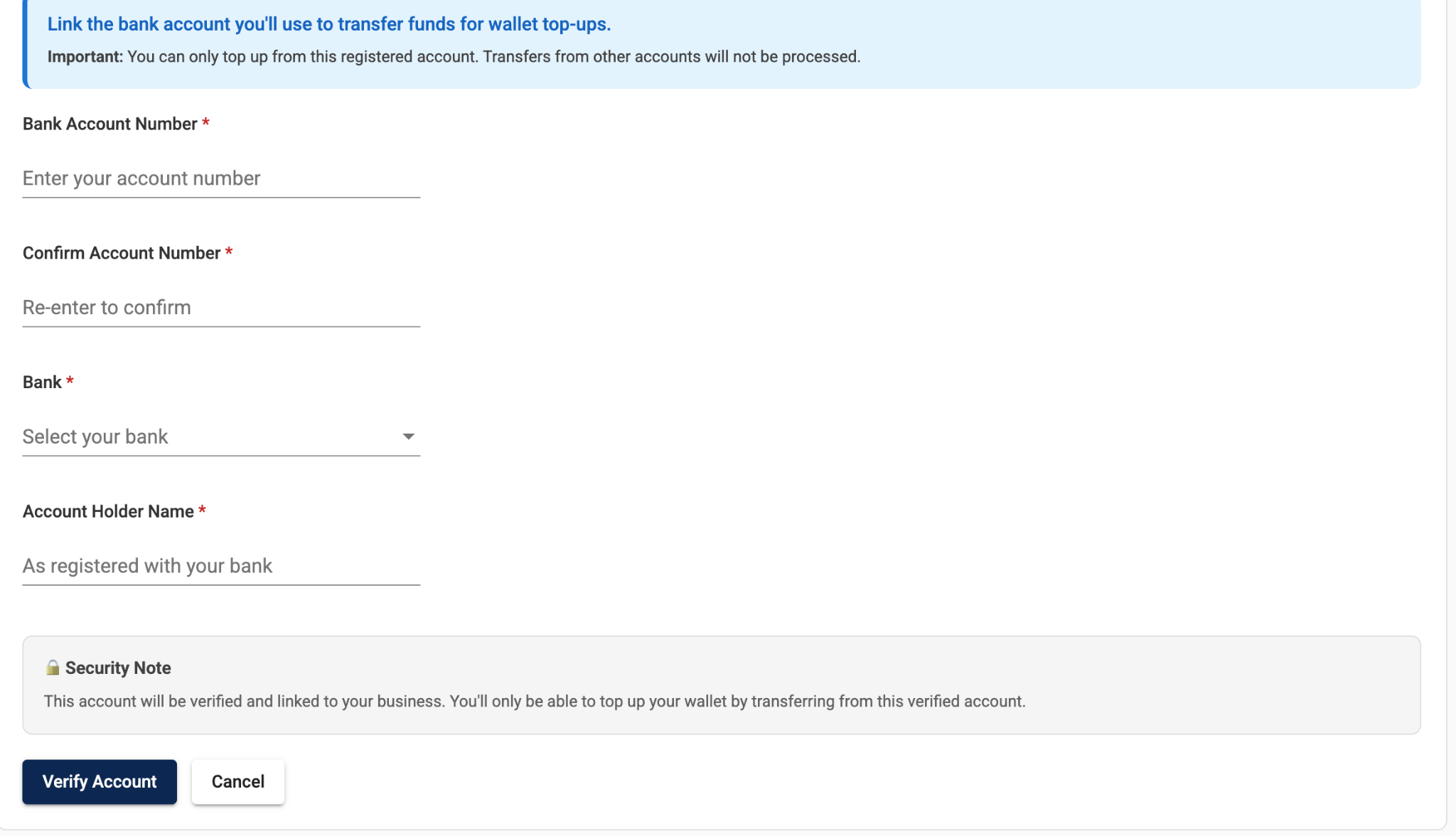
Under Wallet Top-up via Bank Transfer, fill in:
Bank Account Number and Confirm Account Number
Bank — select from the dropdown
Account Holder Name — exactly as registered with your bank
Click Verify Account.
Security Note: This account will be verified and linked to your business. You will only be able to top up your wallet by transferring from this verified account.
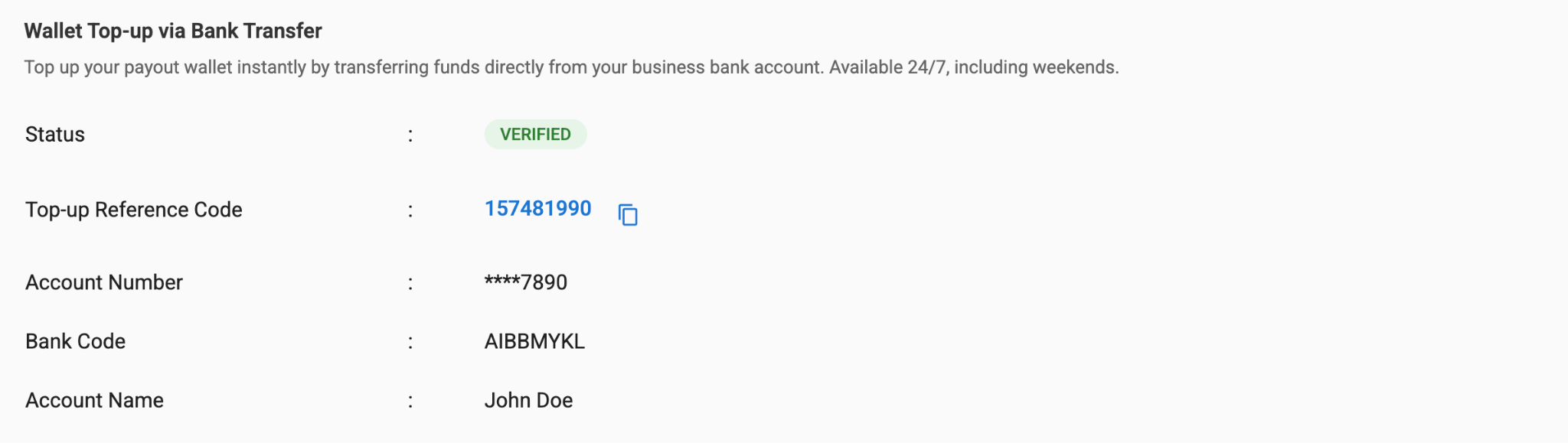
Once approved, the Status changes to VERIFIED and the portal displays your top-up details:
Step 2 — Make the bank transfer
From your internet/mobile banking app, transfer funds to the Razorpay Curlec payout account:
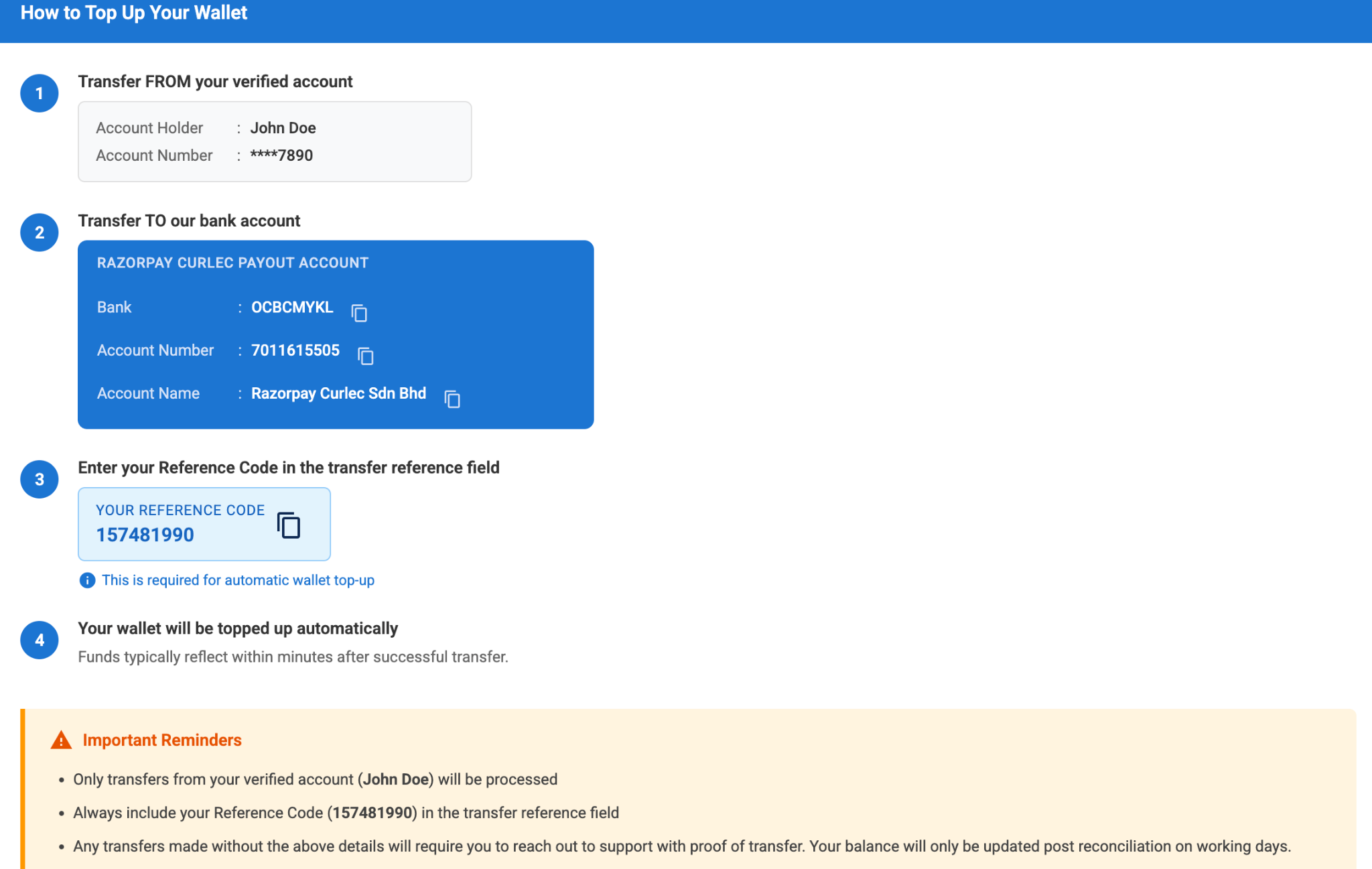
In the transfer reference field, enter your Top-up Reference Code (e.g. 157481990) exactly as shown in the portal. This is required for automatic top-up.
Step 3 — Confirm the top-up
Return to the Payouts dashboard.
Open the Reload History tab — your transfer will appear with the matching Recipient Reference and Transaction Amount.
Your updated balance is shown in the Balance card at the top of the page (e.g. Balance: RM 10,547.85).

Was this article helpful?
That’s Great!
Thank you for your feedback
Sorry! We couldn't be helpful
Thank you for your feedback
Feedback sent
We appreciate your effort and will try to fix the article